How to Convert YouTube Cooking Videos into Easy-to-Follow Recipes
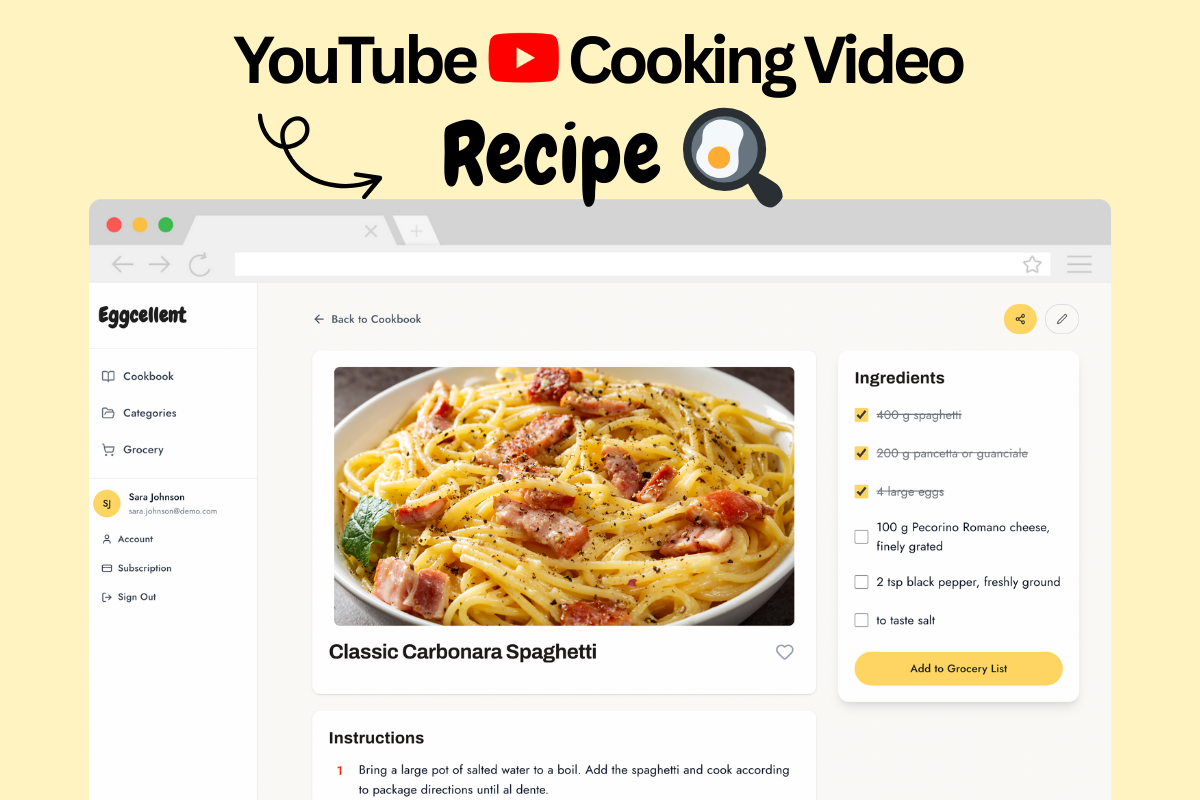
We've all been there: you find an amazing recipe on YouTube, but following along means constantly pausing, rewinding, and frantically scribbling notes while your hands are covered in flour. There's a better way.
The Problem with YouTube Cooking Videos
YouTube has become the go-to platform for recipe inspiration, with millions of cooking videos
uploaded every day. But here's the challenge:
- Constant pausing and rewinding to catch ingredient measurements
- No written reference while you're actually cooking
- Can't easily save or organize your favorite recipes
- Hard to add to shopping lists or meal plans
A 2024 study found that 78% of home cooks prefer written recipes over video-only formats when actually preparing meals, yet most recipe discovery happens on video platforms.
Why You Need Written Recipes from Video Content
1. Cook at Your Own Pace
Written recipes let you work through steps without being tied to video playback speed. No more "wait, what did they just say?" moments.
2. Easy Reference in the Kitchen
A formatted recipe card on your phone or printed out is far more practical than trying to keep a video playing near your cooking area.
3. Better Organization
Save, categorize, and search your recipe collection. Try finding that one pasta recipe you watched three months ago in your YouTube history.
4. Shopping List Integration
Instantly add ingredients to your shopping list without manually typing each one while watching a video.
5. Recipe Modifications
Easily adjust serving sizes, make ingredient substitutions, or add personal notes—something you can't do with a video.
How to Extract Recipes from YouTube Videos
Method 1: Manual Transcription (Time-Consuming)
The old-school approach: watch the video, pause constantly, and type everything into a notes app.
This typically takes 15-30 minutes per recipe.
Pros: Free
Cons: Extremely time-consuming, error-prone, frustrating
Method 2: Use AI Recipe Extraction (Recommended)
Modern AI tools can automatically transcribe cooking videos and extract structured recipes in seconds.
How it works:
1. Paste any YouTube cooking video URL
2. AI transcribes the video and identifies recipe components
3. Get a formatted recipe with ingredients, instructions, and timing
4. Save, edit, or export to PDF/shopping list
Pros: Takes 5-10 seconds, highly accurate, automatically formatted
Cons: May require a subscription for unlimited extractions
Method 3: YouTube Auto-Captions + Manual Formatting
Use YouTube's automatic captions feature to get a transcript, then manually format it into a recipe.
Pros: Free, works for any video
Cons: Captions aren't structured as recipes, still requires significant manual work
What Makes a Good Recipe Extraction Tool?
When choosing a tool to convert YouTube videos to recipes, look for:
- ✅ Accurate transcription - Uses professional speech-to-text technology
- ✅ Smart formatting - Automatically separates ingredients from instruction
- ✅ Editing capabilities - Let you modify and personalize recipes
- ✅ Export options - PDF, Markdown, or direct printing
- ✅ Organization features - Save to collections, add tags, create meal plans
- ✅ Shopping list integration - One-click ingredient additions
Ready to extract your first recipe?
Try Eggcellent today and turn YouTube cooking videos into formatted recipes in seconds.
Get Started Free